AI Trust Boundaries: What to Give AI Access To (And What Not To)
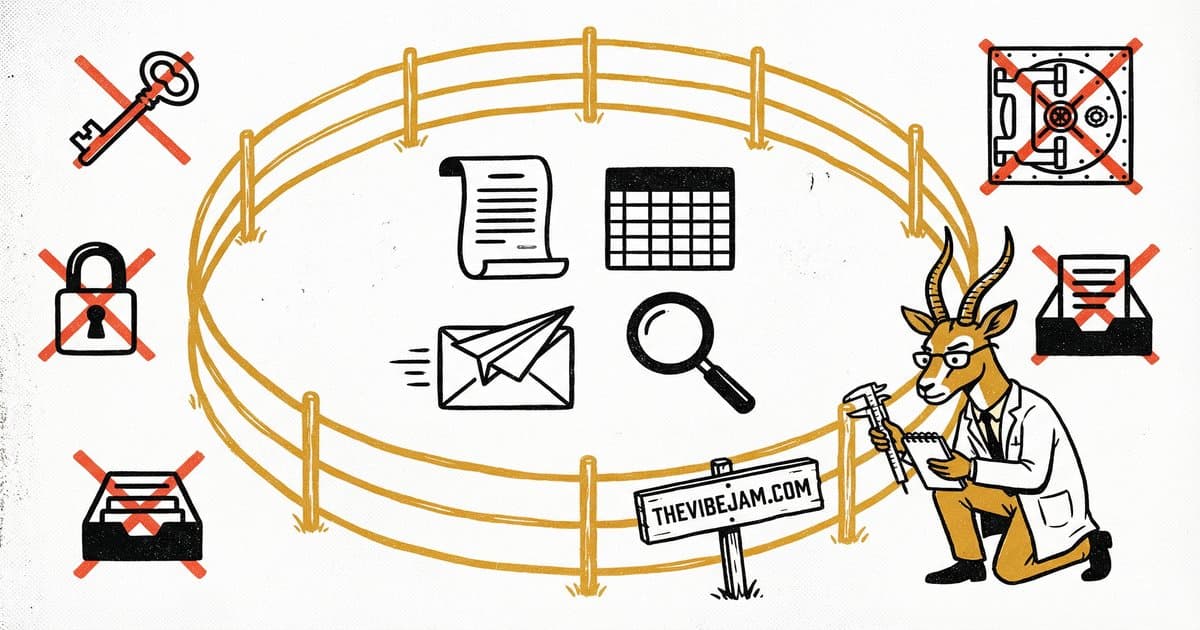
Set boundaries. Expand them over time.
Set AI boundaries like you would for a new employee. Give AI access to cold leads, draft content, public research, and Google Docs. Don't give it your personal inbox, passwords, financial accounts, or private client communications. Start narrow and expand over time as trust builds.
In every Vibe Jam session, someone asks the question: "But isn't it dangerous to give AI access to my data?"
Yes. If you do it wrong.
No. If you set boundaries.
What Are the Rules for AI Data Access?
After months of working with AI as an agentic tool — not just a chatbot, but something that sends emails, queries databases, and manages files via MCP servers — we've developed clear trust boundaries.
Give AI access to:
- Cold leads and prospect data
- Draft content (emails, blog posts, social media)
- Public research (web scraping, competitive analysis)
- Google Docs, Sheets, and Drive (for document creation and reading)
- Databases with non-sensitive business data
Don't give AI access to:
- Your personal inbox
- Sensitive credentials or passwords
- Financial accounts or payment systems
- Private client communications
- Anything you wouldn't show a new employee on day one
Apply the "new employee" test. If you wouldn't give a brand-new employee unsupervised access to something, don't give it to AI. Start with read-only access and expand to write access only for specific, well-defined tasks.
Restricting Scope
The key is specificity. Don't give AI broad access and hope it uses it responsibly. Give it narrow access to exactly what it needs for a specific task.
For example, inside Cursor, instead of connecting AI to your entire Google Drive, give it access to a specific folder designated for content creation. Instead of your full email system, let it create drafts that you review before sending.
We limit Cursor's access primarily to:
- Creating email drafts (not sending directly to important contacts)
- Reading specific Google Drive folders
- Writing to our content database
- Querying our custom CRM
The Hallucination Problem
AI sometimes gets things wrong. It hallucinates data, misinterprets instructions, or takes actions you didn't intend. With limited scope, the worst case is a bad draft you delete. With unlimited scope, the worst case is an email sent to the wrong person with incorrect information.

Smaller scope. Smaller blast radius. Limit the damage of mistakes.
Scope limits the blast radius of mistakes.
Trust Grows Over Time
Start narrow. As you gain confidence in the AI's behavior for specific tasks, expand access gradually. We started with AI generating text. Then drafting emails. Then querying databases. Each step built confidence for the next.

Start narrow. Verify. Expand. Each step builds confidence for the next.
Today, AI manages a significant portion of our operations. But it reached that point through incremental trust, not a leap of faith.

Chris Johnston
Chris Johnston is the founder of PostScarcity AI and The Vibe Jam. Former development agency leader who managed 8 agile teams for venture-backed clients. Now teaching non-technical people to build with AI through vibe coding. Book a free Vibe Check to get started.
More About Chris Johnston